

WordPress (Divi)
Esta página cubre dos enfoques para sitios de WordPress basados en el tema Divi.
Enfoque 1: Enlace estático con icono de sonido
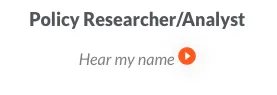
Sección titulada «Enfoque 1: Enlace estático con icono de sonido»Pega este HTML donde quieras que aparezca un enlace “Escucha mi nombre”:
<p align="center" style="font-size:.9em; color:grey;"> Escucha mi nombre <a href="https://namedrop.io/{{namedrop username}}"> <img /> </a></p>Para ver un ejemplo de este enfoque en producción, visita ocj.org/about/staff-and-board/:
Enfoque 2: Script en el encabezado de Divi (detección automática en todo el sitio)
Sección titulada «Enfoque 2: Script en el encabezado de Divi (detección automática en todo el sitio)»Este enfoque analiza cada página en busca de enlaces a namedrop.io y añade un botón de reproducción en línea junto a cada uno. Ideal para sitios con muchas páginas de personal o miembros del consejo.
Dónde pegar el script
Sección titulada «Dónde pegar el script»En el administrador de Divi:
- Divi → Opciones del tema → Integración.
- Busca la sección etiquetada “Añadir código al
<head>de tu blog”. - Pega el script a continuación al final.
- Haz clic en Guardar cambios.
El script
Sección titulada «El script»<script> window.onload = (e) => { const audioURL = 'https://data.namedrop.io/audio'; const ArrayOfHrefs = document.querySelectorAll('a'); const convertHrefToArray = Array.from(ArrayOfHrefs); convertHrefToArray.map((href) => { const url = new URL(href.href); const pathnames = ['/', '/stories', '/offerings', '/dashboard', '/login', '/signup']; if (url.origin === 'https://namedrop.io' && !pathnames.includes(url.pathname)) { const audio = new Audio(); let isPlaying = false; const parentElement = href; const parentHeight = parentElement.offsetHeight; const nameDropUserName = url.pathname.substring(1); audio.src = `${audioURL}/${nameDropUserName}.mp3`;
const imageElement = document.createElement('img'); // Reemplaza esto con una URL de imagen de botón de reproducción alojada en tu sitio imageElement.src = './images/play-btn.png'; imageElement.style.maxWidth = '100%'; imageElement.style.transform = 'translateY(5px)'; imageElement.style.display = 'inline-block'; imageElement.height = parentHeight; imageElement.style.margin = '0px 5px'; parentElement.appendChild(imageElement);
href.addEventListener('click', (e) => { if (e.target.tagName === 'IMG') { e.preventDefault(); isPlaying = !isPlaying; if (isPlaying) { audio.play(); imageElement.src = './images/pause-btn.png'; } else { imageElement.src = './images/play-btn.png'; audio.pause(); } } });
audio.onended = () => { isPlaying = false; imageElement.src = './images/play-btn.png'; }; } }); };</script>Qué hace
Sección titulada «Qué hace»- Analiza cada enlace de la página después de la carga
- Filtra los enlaces que apuntan a un perfil de NameDrop (
https://namedrop.io/<username>) - Añade una imagen de botón de reproducción junto a cada uno
- Reproduce el archivo de audio (
https://data.namedrop.io/audio/<username>.mp3) al hacer clic sin navegar a otra página
Recurso necesario
Sección titulada «Recurso necesario»Necesitarás alojar play-btn.png y pause-btn.png en tu propio servidor (o cambiar las URL de imageElement.src para que apunten a iconos alojados). El script de arriba los busca en ./images/play-btn.png relativo a la página — ajústalo según sea necesario.
¿Qué enfoque debo usar?
Sección titulada «¿Qué enfoque debo usar?»| Situación | Usa |
|---|---|
| Quieres la instalación más sencilla posible | Plugin para sitios web |
| Ya enlazas a perfiles de NameDrop | Plugin para sitios web (detección automática) |
| Solo un nombre en una sola página | Enfoque 1 (enlace estático) |
Muchos nombres, tema Divi, no puedes añadir <script> por página | Enfoque 2 (script en el encabezado) |