

WordPress (Divi)
Cette page couvre deux approches pour les sites WordPress construits sur le thème Divi.
Approche 1 : Lien statique avec icône sonore
Section intitulée « Approche 1 : Lien statique avec icône sonore »Collez ce HTML partout où vous souhaitez qu’un lien “Entendre mon prénom” apparaisse :
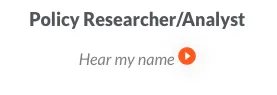
<p align="center" style="font-size:.9em; color:grey;"> Entendre mon prénom <a href="https://namedrop.io/{{namedrop username}}"> <img /> </a></p>Pour un exemple de cette approche en production, voir ocj.org/about/staff-and-board/ :
Approche 2 : Script d’en-tête Divi (détection automatique à l’échelle du site)
Section intitulée « Approche 2 : Script d’en-tête Divi (détection automatique à l’échelle du site) »Cette approche parcourt chaque page à la recherche de liens namedrop.io et ajoute un bouton de lecture intégré à côté de chacun. Idéal pour les sites avec de nombreuses pages de personnel ou de membres du conseil.
Où coller le script
Section intitulée « Où coller le script »Dans l’administration Divi :
- Divi → Options du thème → Intégration.
- Trouvez la section intitulée “Ajouter du code dans le
<head>de votre blog”. - Collez le script ci-dessous à la fin.
- Cliquez sur Enregistrer les modifications.
Le script
Section intitulée « Le script »<script> window.onload = (e) => { const audioURL = 'https://data.namedrop.io/audio'; const ArrayOfHrefs = document.querySelectorAll('a'); const convertHrefToArray = Array.from(ArrayOfHrefs); convertHrefToArray.map((href) => { const url = new URL(href.href); const pathnames = ['/', '/stories', '/offerings', '/dashboard', '/login', '/signup']; if (url.origin === 'https://namedrop.io' && !pathnames.includes(url.pathname)) { const audio = new Audio(); let isPlaying = false; const parentElement = href; const parentHeight = parentElement.offsetHeight; const nameDropUserName = url.pathname.substring(1); audio.src = `${audioURL}/${nameDropUserName}.mp3`;
const imageElement = document.createElement('img'); // Remplacez par l'URL d'une image de bouton de lecture hébergée sur votre site imageElement.src = './images/play-btn.png'; imageElement.style.maxWidth = '100%'; imageElement.style.transform = 'translateY(5px)'; imageElement.style.display = 'inline-block'; imageElement.height = parentHeight; imageElement.style.margin = '0px 5px'; parentElement.appendChild(imageElement);
href.addEventListener('click', (e) => { if (e.target.tagName === 'IMG') { e.preventDefault(); isPlaying = !isPlaying; if (isPlaying) { audio.play(); imageElement.src = './images/pause-btn.png'; } else { imageElement.src = './images/play-btn.png'; audio.pause(); } } });
audio.onended = () => { isPlaying = false; imageElement.src = './images/play-btn.png'; }; } }); };</script>Ce que ça fait
Section intitulée « Ce que ça fait »- Parcourt chaque lien de la page après le chargement
- Filtre les liens qui pointent vers un profil NameDrop (
https://namedrop.io/<nom-utilisateur>) - Ajoute une image de bouton de lecture à côté de chacun
- Lit le fichier audio (
https://data.namedrop.io/audio/<nom-utilisateur>.mp3) au clic sans quitter la page
Ressource requise
Section intitulée « Ressource requise »Vous devrez héberger play-btn.png et pause-btn.png sur votre propre serveur (ou remplacer les URL imageElement.src pour pointer vers des icônes hébergées). Le script ci-dessus les attend dans ./images/play-btn.png par rapport à la page — ajustez selon vos besoins.
Quelle approche utiliser ?
Section intitulée « Quelle approche utiliser ? »| Situation | Utilisez |
|---|---|
| Vous voulez l’installation la plus simple possible | Plugin de site web |
| Vous liez déjà vers des profils NameDrop | Plugin de site web (détection automatique) |
| Juste un prénom sur une seule page | Approche 1 (lien statique) |
Beaucoup de prénoms, thème Divi, impossible d’ajouter <script> par page | Approche 2 (script d’en-tête) |